Cursor


Connect Cursor to DeployStack Satellite with a single URL and unlock managed MCP servers across your entire development team. No local server installations, no credential files in your project directories, no manual configuration syncing between machines.
DeployStack's encrypted vault stores API keys centrally and injects them into MCP processes automatically, letting developers use tools through Composer and Agent mode without handling sensitive tokens. Role-based permissions determine which team members access specific MCP servers, while audit logs track every tool call made during AI-assisted coding sessions.
The hierarchical router exposes just two meta-tools instead of hundreds, preserving your context window for actual code generation instead of wasting it on tool definitions. New team members add one URL to Cursor settings and immediately access the same MCP toolset as the rest of the team.
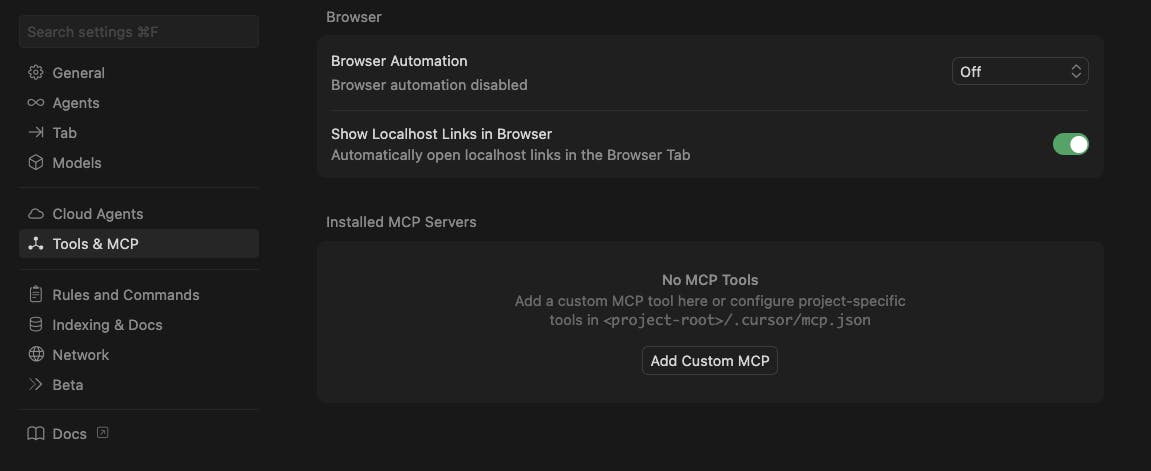
Add Custom MCP Server
Open Cursor settings and navigate to the Tools & MCP section. Under Installed MCP Servers, click "Add custom MCP" to begin connecting to DeployStack Satellite.
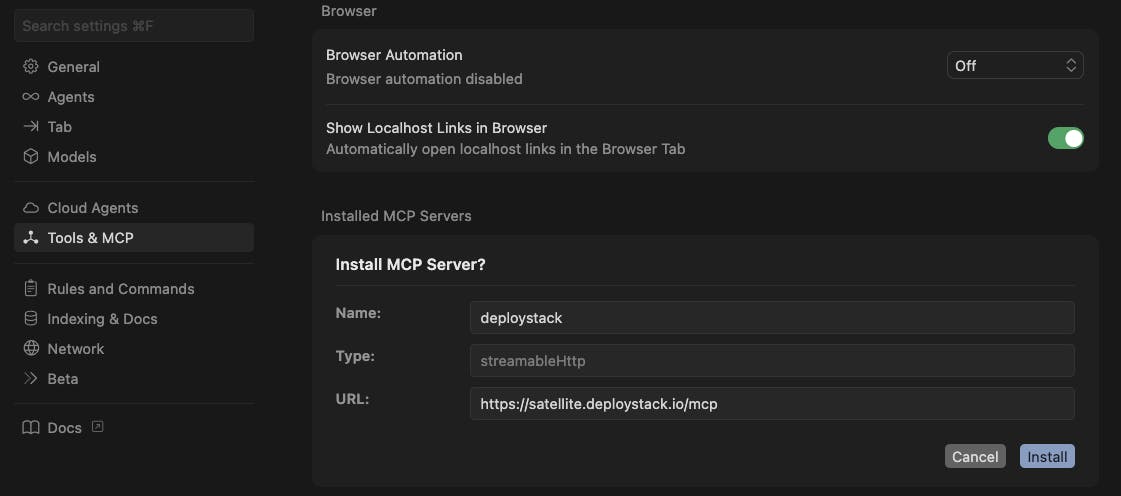
Install DeployStack MCP Server
Configure the connection by entering "deploystack" as the server name and "https://satellite.deploystack.io/mcp" as the URL, then click Install to proceed with authentication.
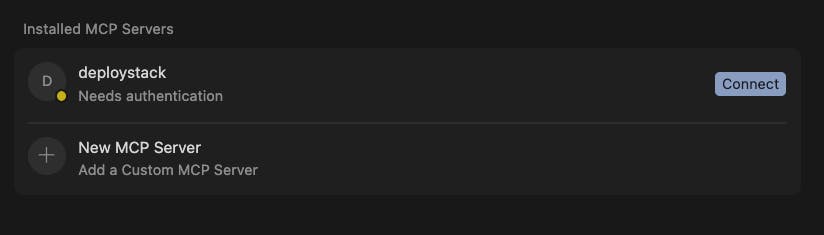
Connect to DeployStack
DeployStack will appear in your list of MCP servers. Click the "Connect" button on the right to initiate OAuth authentication, which will redirect you to cloud.deploystack.io.
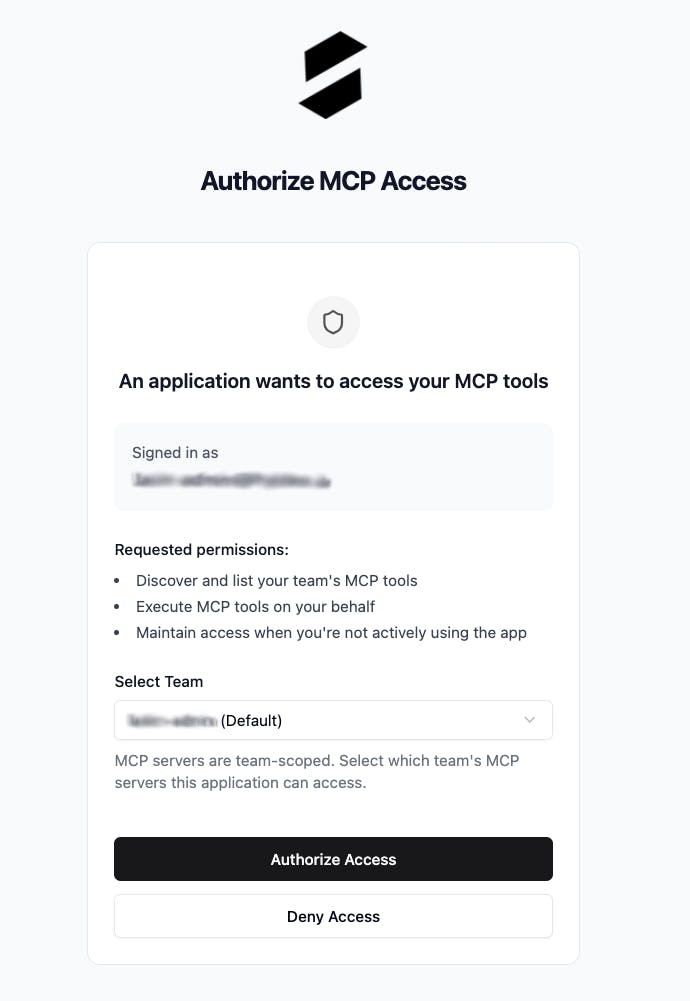
Authorize Team Access
Select your DeployStack team and authorize access on the cloud.deploystack.io authentication page. Once authorized, you can close the browser window and return to Cursor.

Connected and Ready
DeployStack is now connected and displays two meta-tools: discover_mcp_tools for searching available servers, and execute_mcp_tool for running discovered tools. Your team's managed MCP servers are now accessible in Cursor.
Your Cursor editor is now connected to DeployStack. Open Composer or Agent mode, and your team's MCP servers are ready to assist with code generation, refactoring, and any task you throw at them. Start coding with the full toolset at your fingertips.