Activepieces MCP Integration: Deploy and Connect MCP Servers to Your Workflows


Connect Activepieces to MCP servers hosted on DeployStack. Deploy your MCP server from a GitHub repository, get an HTTP endpoint, and use it in your Activepieces AI agent flows. No local installations, no Docker containers, no infrastructure to manage — just a URL.
Activepieces is an open-source automation platform with built-in AI agent capabilities. Its AI agent pieces can call external tools via HTTP during workflow execution. Most MCP servers on GitHub only support stdio, which means they can't be used in cloud-hosted automations directly. DeployStack runs your stdio MCP server on managed infrastructure and exposes it as an HTTP endpoint that Activepieces can connect to.
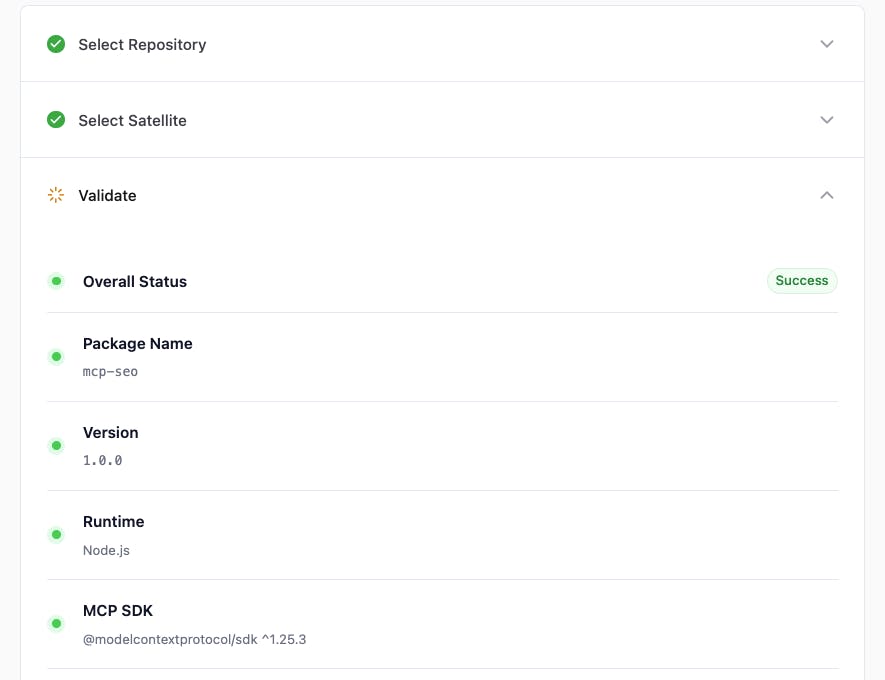
Deploy Any MCP Server for Activepieces
Point DeployStack at a GitHub repository containing an MCP server. DeployStack detects the runtime (Node.js, Python, Docker), builds it, and gives you a direct endpoint URL with a token. Use that endpoint in your Activepieces flows to give your AI agents access to external tools — databases, APIs, search engines, or anything else your MCP server exposes. When you push changes to your repository, DeployStack redeploys automatically — your Activepieces workflows always use the latest version.
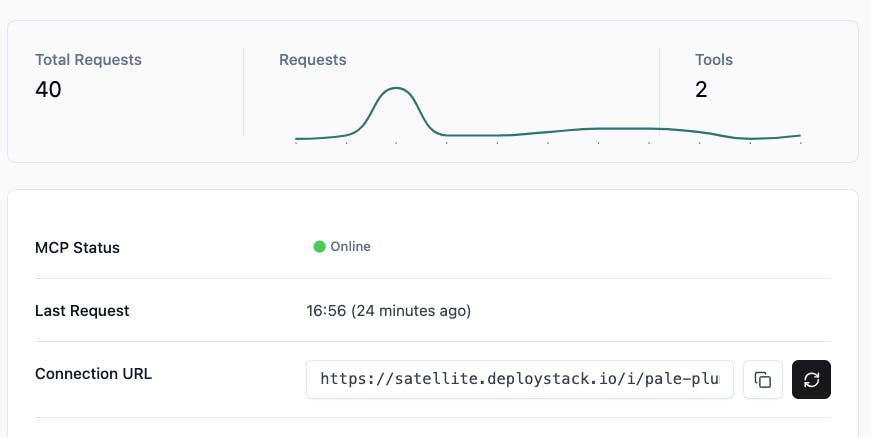
Simple Token Authentication
Each MCP server you deploy gets its own endpoint URL and instance token. Use the token for authentication when connecting from Activepieces. One copy-paste and your workflow has access to the MCP server.
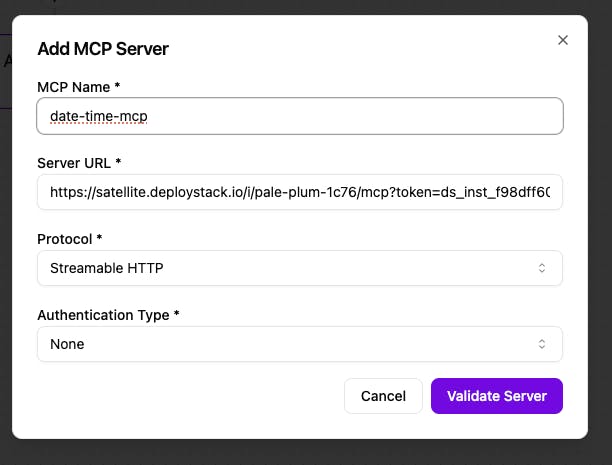
Extend Your AI Agent Workflows
Activepieces already exposes its 280+ pieces as MCP servers for external AI systems. With DeployStack, you go the other direction — bring external MCP tools into your Activepieces flows. Query databases, generate content, search documentation, interact with APIs. Any tool your MCP server provides becomes available to your AI agents running inside Activepieces.
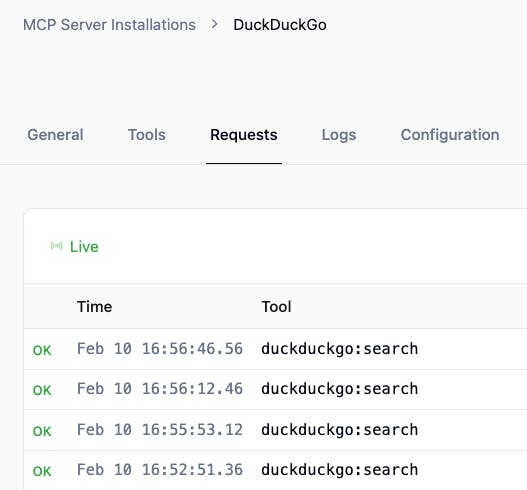
Monitor Tool Usage Across Workflows
Track which MCP tools your Activepieces workflows call, how often, and whether they succeed or fail. DeployStack's observability dashboard logs every tool interaction, so you can debug failing flows and understand which MCP servers your automations depend on.
Your Activepieces instance is now connected to your DeployStack MCP server. Add the HTTP endpoint to your AI agent flow and your agents can call any tool from that MCP server during execution.
You can connect multiple MCP servers across different flows — each gets its own endpoint and token. Combine DeployStack-hosted MCP tools with Activepieces' built-in pieces to build AI-powered automations.
Need more MCP servers for your workflows? Browse the DeployStack catalog for popular servers or deploy your own from any GitHub repository.