OAuth Support for External MCP Servers
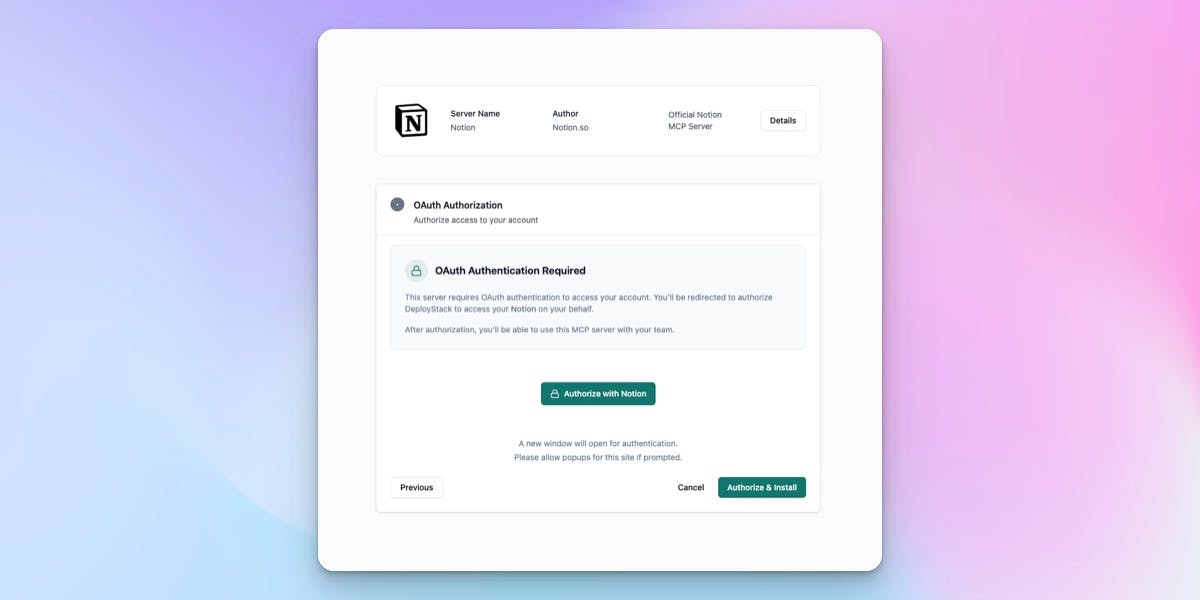
OAuth-protected MCP servers like Box, Linear, and GitHub Copilot now work in DeployStack. Install, authorize, and your tokens are managed automatically.
DeployStack now supports MCP servers that require OAuth authentication. This means you can connect to services like Box, Linear, and GitHub Copilot directly through our platform. Before this update, these OAuth-protected servers were simply unavailable in DeployStack - now they work out of the box.
When you install an OAuth-requiring MCP server, DeployStack handles the entire authentication flow for you. Click install, authorize in the popup window, and you're done. Your tokens are encrypted with AES-256-GCM and stored securely. The platform automatically refreshes expired tokens in the background, so you never have to re-authenticate unless you revoke access. For teams, each member maintains their own OAuth connection - your Box account stays yours.
On the technical side, we implemented the full OAuth 2.1 specification with PKCE (S256 method), resource indicators per RFC 8707, and on-the-fly endpoint discovery using RFC 9728 and RFC 8414. When an admin adds a new MCP server to the catalog, DeployStack automatically detects whether it requires OAuth by checking for 401 responses with WWW-Authenticate headers. No manual configuration needed - just paste the URL and we figure out the rest.
The Satellite infrastructure handles token injection transparently. For HTTP/SSE transports, tokens go in the Authorization header. For stdio-based MCP servers, tokens are injected as environment variables. This works identically whether you're using our global satellites or running a team satellite in your own infrastructure.