How to Cut Your MCP Token Usage by 97% in 3 Minutes
Every MCP tool gets injected into your context window on every turn. 10 servers with 100+ tools? That's 40,000+ tokens gone before Claude even starts thinking about your question.
Here's how to fix it.
Step 1: Create an Account (30 seconds)
Go to cloud.deploystack.io and sign up with GitHub.
Step 2: Install an MCP Server (60 seconds)
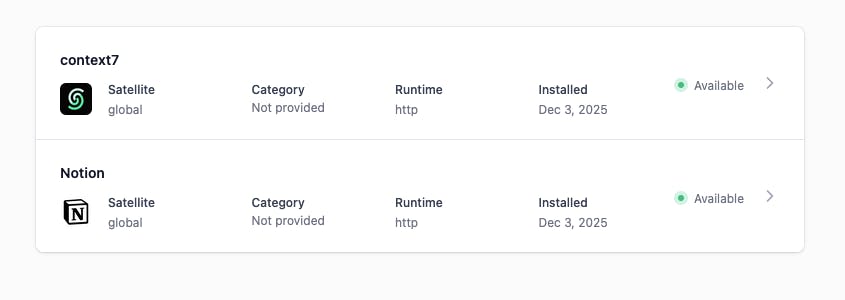
- Click MCP Servers → Catalog
- Find a server you want (try GitHub and Notion)
- Click Install
- Add your API key if needed
The server is now ready. No npx commands. No JSON editing.
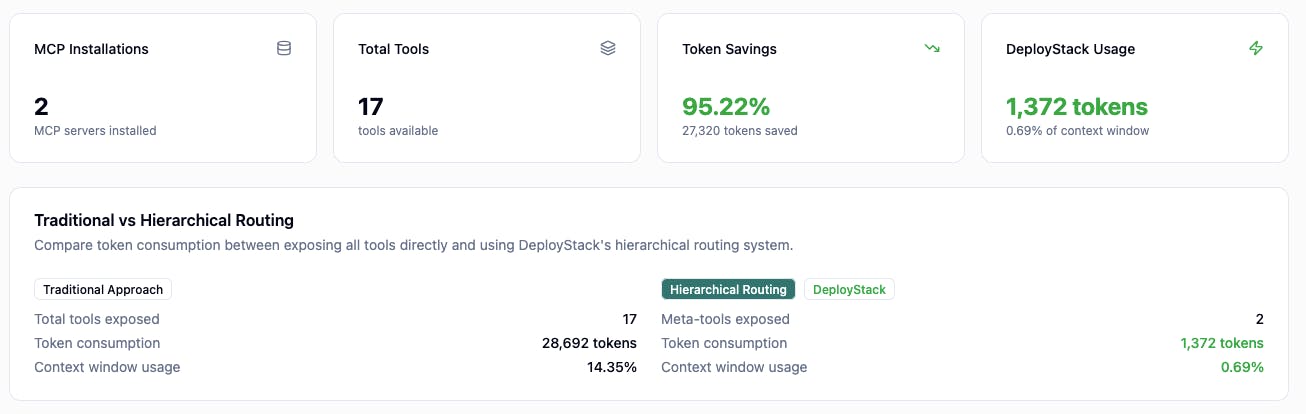
Check total token consumption:
Step 3: Connect to the Satellite (60 seconds)
Add this to your Claude Code config (working also with VS Code and Cursor):
claude mcp add --transport http deploystack https://satellite.deploystack.io/mcp
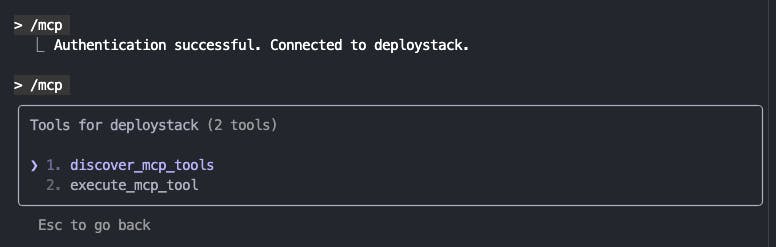
When you first connect, your browser opens for OAuth authorization. Pick your team, authorize, and you're connected. The client handles the rest automatically.

That's It
You now have 2 tools instead of 100+:
- `discover_mcp_tools` - finds what you need
- `execute_mcp_tool` - runs it
Claude searches for tools when it needs them instead of having everything loaded upfront.
Before: 40,000 tokens consumed at startup After: ~1,400 tokens
Add more MCP servers from the catalog. The token count stays the same.
Links:
- Platform: cloud.deploystack.io
- GitHub: github.com/deploystackio/deploystack
- Docs: docs.deploystack.io
Free and open source.