Personal MCP Client Activity Dashboard
When you're working with multiple MCP clients across different projects, it's easy to lose track of which ones are actually connected and using your credentials. We added a personal dashboard that shows you exactly which of your MCP clients (VS Code, Cursor, Claude.ai, Cline) are currently active across all your teams.
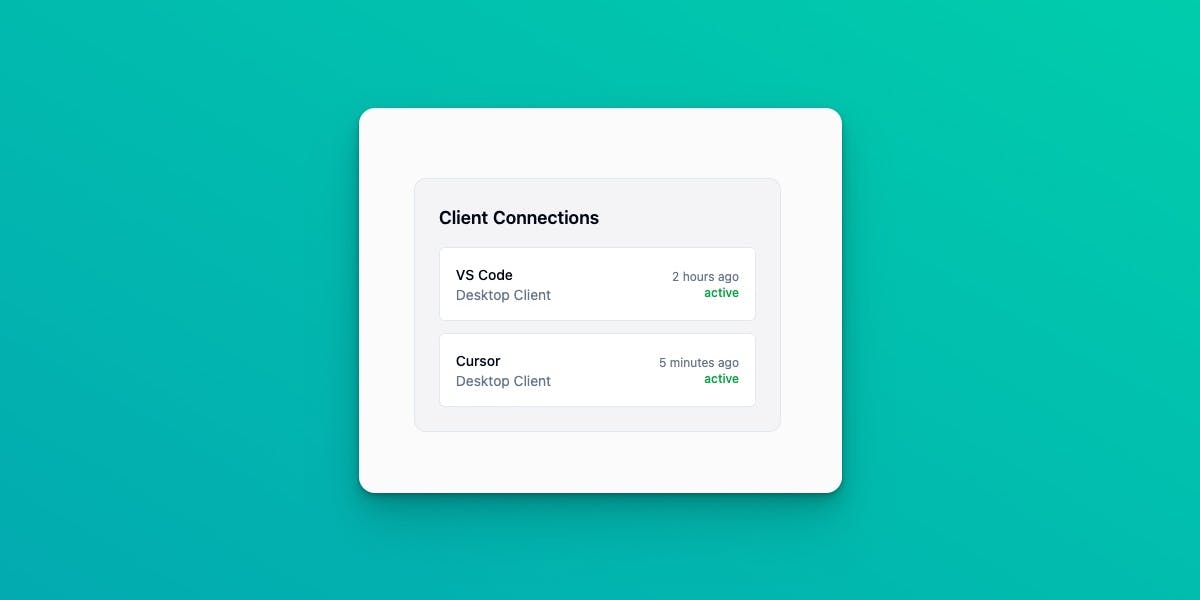
What You'll See
The new dashboard displays your active MCP clients in one place. When you log in, you'll see a list showing which clients you've used recently, which satellite they're connected to, when they were last active, and how many requests they've made. This is your personal view—you only see your own clients, not your teammates' activity.
Each entry shows practical information: "VS Code on Production Satellite - Active 2 minutes ago - 145 requests, 32 tool calls." If you haven't used a client in the last 30 minutes, it drops off the list automatically. You can adjust that time window if you want to see activity from the last hour or the last day instead.
How It Works
We built this using our existing satellite infrastructure. Every 30 seconds, each satellite reports which users made requests and from which clients. The backend processes these events and updates your dashboard. The activity tracking adds less than 1ms to each request, so you won't notice any performance impact.
The satellite identifies your client by checking your OAuth credentials first (which is how VS Code and Cursor typically connect), then falls back to parsing the User-Agent header if needed. Session tracking is optional—if your client sends an Mcp-Session-Id header, we'll store it for debugging purposes, but it doesn't affect what you see in the dashboard.
Why This Matters
This solves a few practical problems. First, you can quickly check if you accidentally left a client running somewhere and burning through API calls. Second, when you're debugging connection issues, you can immediately see which clients are actually reaching the satellite versus which ones are having problems. Third, if you're managing multiple teams, you can see which satellite each of your clients is connected to without having to check your config files.
The backend infrastructure is complete and processing activity right now. We're finishing the frontend UI (Phase 4), which will add the actual dashboard widget with real-time polling, client icons, and a clean timeline view. Once that's live, you'll see your active clients the moment you log in.